面条实验室

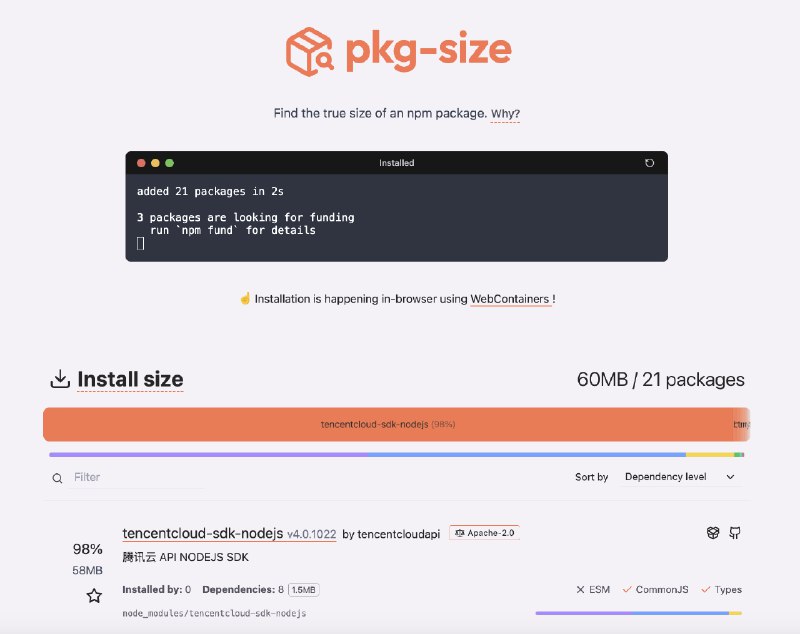
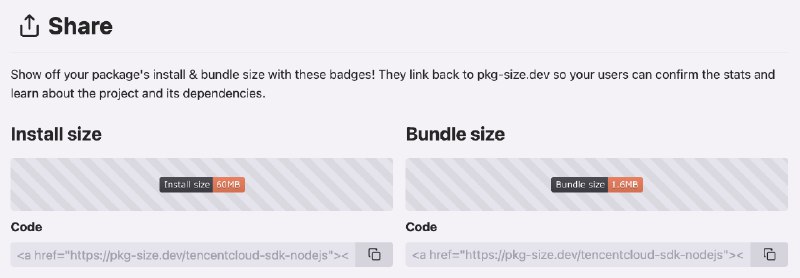
  1. 最近腾讯云 SDK 包体大小的问题闹的沸沸扬扬推荐一个 #工具 pkg-size ,可以不安装 NPM 包,在浏览器内直接查看 NPM 包安装后占用的磁盘大小还可以生成 Badge ,方便你在 README 引用

    最近腾讯云 SDK 包体大小的问题闹的沸沸扬扬

    推荐一个 #工具 pkg-size ,可以不安装 NPM 包,在浏览器内直接查看 NPM 包安装后占用的磁盘大小

    还可以生成 Badge ,方便你在 README 引用

    https://404.li/pkg-size

  2. 分享一个 #开源 工具 lume可以在 Apple Silicon 上以接近原生的性能创建、运行和管理 macOS 及 Linux 虚拟机

    分享一个 #开源 工具 lume

    可以在 Apple Silicon 上以接近原生的性能创建、运行和管理 macOS 及 Linux 虚拟机。

    使用方式和 ollama / docker 很像,比如运行一个 macOS 虚拟机只需要一个命令行。

    唯一的遗憾是镜像太少,目前都还没有 debian 镜像

    https://index.html.zone/dev/lume

  3. 已经看到两位朋友使用单字符域名做商业短链接了

    已经看到两位朋友使用单字符域名做商业短链接了

    https://T.IMhttps://S.EE , 大家感觉哪个更好呢? T.im - The Shortest URL Shortener - T.im

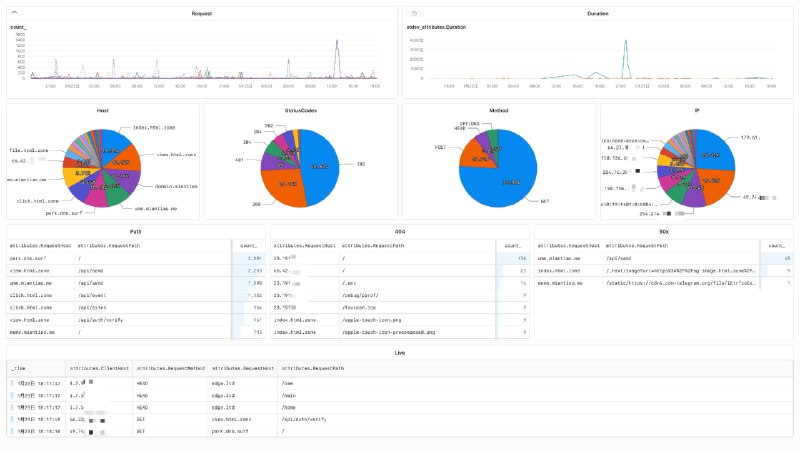
  4. 使用 Axiom 给 Traefik 的 accesslog 搞了个大盘记录下过程:1、升级 Traefik 版本到 3.2.0 以上,才可以支持 accesslog 的 otlp 插件

    使用 Axiom 给 Traefik 的 accesslog 搞了个大盘

    记录下过程:

    1、升级 Traefik 版本到 3.2.0 以上,才可以支持 accesslog 的 otlp 插件。
    a. Dokploy 的 Traefik 默认是 3.1.2,需要修改安装脚本升级到 3.2.0 以上。

    2、在 Axiom 创建两个 Dataset: dokploy-log 和 dokploy-trace , 并创建 API Key。

    3、修改 Traefik 配置文件 `/etc/dokploy/traefik/traefik.yml`:

    experimental:
      otlpLogs: true
    
    accesslog:
      otlp:
        http:
          endpoint: https://api.axiom.co
          headers:
            authorization: Bearer xaat-miantiao-replace-me
            x-axiom-dataset: dokploy-log
          tls:
            insecureSkipVerify: true
    
    tracing:
      otlp:
        http:
          endpoint: https://api.axiom.co
          headers:
            authorization: Bearer xaat-miantiao-replace-me
            x-axiom-dataset: dokploy-trace
          tls:
            insecureSkipVerify: true


    4、如果使用了 Cloudlfare 代理, 给 websecure 和 web 下面增加配置,可以识别真实 IP。

    forwardedHeaders:
      trustedIPs:
        # Cloudflare
        - "173.245.48.0/20"
        - "103.21.244.0/22"
        - "103.22.200.0/22"
        - "103.31.4.0/22"
        - "141.101.64.0/18"
        - "108.162.192.0/18"
        - "190.93.240.0/20"
        - "188.114.96.0/20"
        - "197.234.240.0/22"
        - "198.41.128.0/17"
        - "162.158.0.0/15"
        - "104.16.0.0/13"
        - "104.24.0.0/14"
        - "172.64.0.0/13"
        - "131.0.72.0/22"
        - "2400:cb00::/32"
        - "2606:4700::/32"
        - "2803:f800::/32"
        - "2405:b500::/32"
        - "2405:8100::/32"
        - "2a06:98c0::/29"
        - "2c0f:f248::/32"


    5、重启 Traefik 后在 Axiom 就可以看见实时日志,Trace 的大盘 Axiom 集成了,Log 的需要我们自己创建,由于无法导出现有大盘,需要使用下面的语句手动配置:

    # Request
    ['dokploy-log']
    | summarize count() by bin_auto(_time), ['attributes.RequestHost']
    | limit 20
    
    # Duration
    ['dokploy-log']
    | summarize stdev(['attributes.Duration']) by bin_auto(_time), ['attributes.RequestHost']
    | limit 20
    
    # Host
    ['dokploy-log']
    | summarize count() by bin_auto(_time), ['attributes.RequestHost']
    | limit 20
    
    # StatusCode
    ['dokploy-log']
    | summarize count() by bin_auto(_time), ['attributes.DownstreamStatus']
    | limit 20
    
    # Method IP 同上
    
    # Path
    ['dokploy-log']
    | summarize count() by bin_auto(_time), ['attributes.RequestHost'], ['attributes.RequestPath']
    | order by ['count_'] desc
    | limit 20
    
    # 404
    ['dokploy-log']
    | where ['attributes.DownstreamStatus'] == 404
    | summarize count() by bin_auto(_time), ['attributes.RequestHost'], ['attributes.RequestPath']
    | order by ['count_'] desc
    | limit 20
    
    # 50x
    ['dokploy-log']
    | where ['attributes.DownstreamStatus'] >= 500
    | summarize count() by bin_auto(_time), ['attributes.RequestHost'], ['attributes.RequestPath']
    | order by ['count_'] desc
    | limit 20
    
    # Live
    ['dokploy-log']
  5. 最近使用 GitHub #Actions 打包 #Docker 镜像后存储在 GitHub #Packages私有仓库的 Packages 后面会收费,为了避免不必要的指出,只保留了最新的几个版本方法也很简单,给 Workflow 加一个 Action 就行

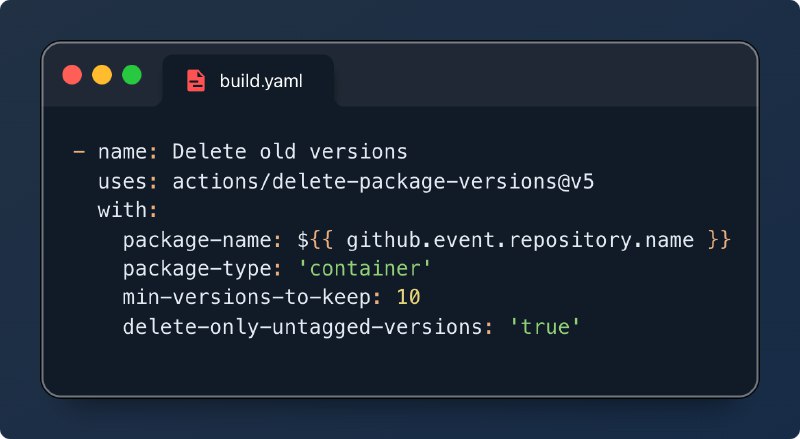
    最近使用 GitHub #Actions 打包 #Docker 镜像后存储在 GitHub #Packages

    私有仓库的 Packages 后面会收费,为了避免不必要的指出,只保留了最新的几个版本

    方法也很简单,给 Workflow 加一个 Action 就行

    https://404.li/delete-versions

    • ❤️1
  6. 推荐一个断断续续用了 10 年的 #VPS 服务商 Vultr可以按小时计费,方便临时测试一些程序,或者编译固件

    推荐一个断断续续用了 10 年的 #VPS 服务商 Vultr

    可以按小时计费,方便临时测试一些程序,或者编译固件。

    而且还支持免费的 BGP sessions, AS215507 就跑在它上边。

    如果你想跑一些生产业务,稳定性不错,十分推荐。

    可以申请 Free Tier Program,我申请过,运气不错通过了

    https://index.html.zone/cloud-service/vultr

    • 👍3
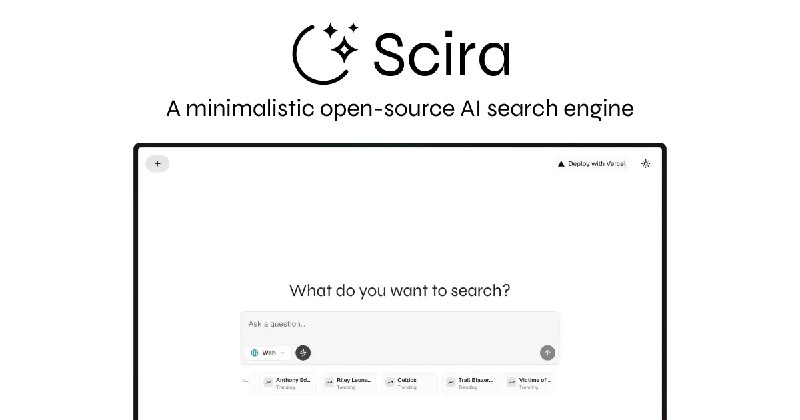
  7. Scira - 一个极简的开源 AI 搜索引擎支持实时搜索 、学术论文分析 、社交媒体洞察 、YouTube 搜索 、航班追踪 、电影搜索,功能倒是挺多

    Scira - 一个极简的开源 AI 搜索引擎

    支持实时搜索 、学术论文分析 、社交媒体洞察 、YouTube 搜索 、航班追踪 、电影搜索,功能倒是挺多。

    但是目前只支持 xAI 的 Grok 还不能换模型,不过用的 Vercel SDK 支持下 DeepSeek 应该很容易

    https://index.html.zone/ai/scira

    • 👍1
    • 🤔1
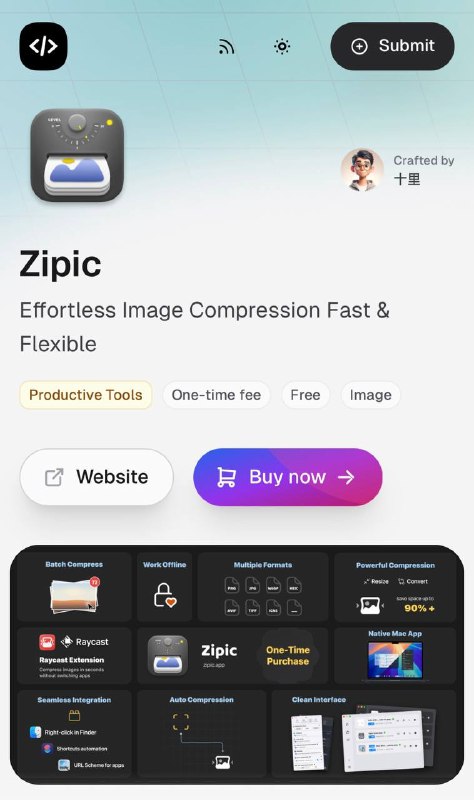
  8. #工具推荐 Zipic - 精致的图片压缩工具使用了一年多,是一个把图片压缩做到极致的小工具

    #工具推荐 Zipic - 精致的图片压缩工具

    使用了一年多,是一个把图片压缩做到极致的小工具。

    有个好处是多次压缩不会导致图片质量很差。

    免费版本每天可压缩 25 张图片,如果是内容创作者可以考虑购买付费版本

    https://index.html.zone/productivity/zipic

1px